So, I got to visit Seattle (finally)!
I have always wanted to visit Seattle and of course why not take the opportunity when the SharePoint Conference is being held there!
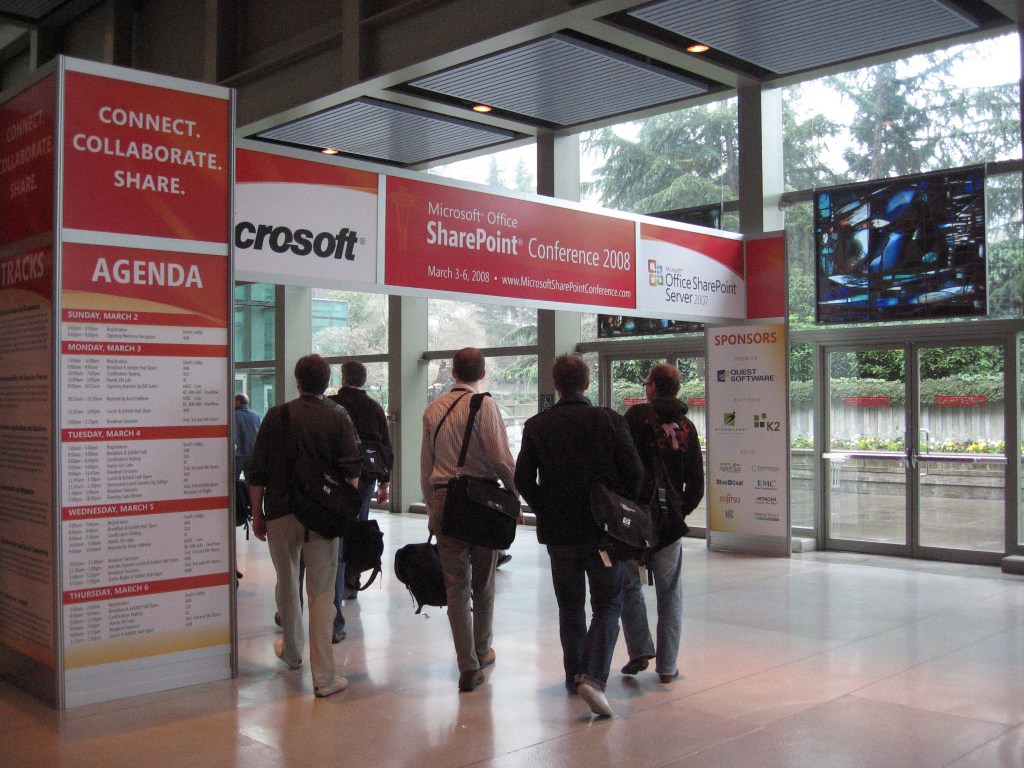
The conference was a great event with the opportunity to see and experience the best SharePoint deployments from around the world. My highlights of the conference follows in no particular order.
Meeting fellow SharePoint experts and MVPs from around the world.
People who I had never met before but followed via their technical/personal blogs. It was a highlight to finally meet these great people at the conference who I have been admiring for their knowledge from afar.
- Bob Fox (Great stuff with the presentation and impressive at the Bar :0-))
- Brendon Schwartz
- Spencer Harbar (Great to finally meet one of the premier experts of MCMS)
- Chris O’Brien (WSP builder guy.. thanks for the Beers mate)
- Darrin Bishop (Great guy and awesome session on PowerShell + STSADM)
- Todd Klindt
- Shane Young
- Ted Pattison
- Dustin Millar
- Daniel McPherson (Pont2Share now SevenZeas)
- Andrew Woodward
- Matthew McDermott (Great session on Search!)
- Patrick Tisseghem (Finally met Patrick!)
And all others including Joel Oleson, Andrew Connell, Dan Attis, Nick Swan, Lawrence Liu and everyone else! Also got to meet Ryan, CJ and a few others from NZ and a quick visit to the huge Microsoft campus. I think I will be back again.

Here are the Sessions that I went to… (lot of technical content but that’s the thing with SharePoint, it touches most of Microsoft’s capabilities and is an evolving content platform).
Strong Security for SharePoint: Active Directory Right Management Services (AD RMS)
SharePoint delivers a new paradigm for enterprise collaboration. AD RMS safeguards information from unauthorized use while stored in a SharePoint site, and automatically preserves security and access rites even if the data is downloaded from the SharePoint repository. Combining these two technologies into one solution delivers secure collaboration that maintains ease of use without putting valuable corporate assets at risk. Attend this session to learn how easy it is to integrate SharePoint and AD RMS to simplify collaboration without sacrificing security.
Using ADAM and ADFS with SharePoint
This session discussed what Active Directory Federation Services (ADFS) is and how it can be used with SharePoint to allow users from one company to seamlessly access resources in another company without compromising security. After looking at ADFS and the features it offers, the session explored using ADAM as an authentication provider compares to using Active Directory.
This was a very technical session and had quite a bit of technical detail. Most likely I will do a full post on this myself.
SharePoint As a BI Platform
Microsoft Office SharePoint Server 2007 delivers a number of new capabilities for Business Intelligence including KPI support, Reporting Services integration, Excel Services, Scorecards, Performance Point, and many other capabilities. This session covered the breadth of BI integration abilities, and provided real world examples and demonstrations.
Deploying EPM 2007 Solution into an Existing MOSS Environment
Microsoft Office Enterprise Project Management Solution 2007 is a very unique form of Windows SharePoint Services v3. This session provides you with best practices learned from field deployments which you will want to keep in mind when deploying EPM 2007 into an existing MOSS farm.
Best of Windows Server 2008 and SQL Server 2008 for SharePoint Deployments
With the launch of Windows Server 2008 and Microsoft SQL Server 2008 there are a lot of people asking, “Why should I upgrade?” Others, who are planning a new SharePoint deployment, are asking the question, “Should I install Windows Server 2003 or 2008?” and “What does it specifically buy me for my SharePoint deployment?” This session addresses these questions and shares the best of Windows Server 2008 and SQL Server 2008 for SharePoint Admins. This session also includes case study examples from the AMD Developer Outreach deployment team’s migration of developer.amd.com, their software developer community resources portal.
Enhancing SharePoint Automation Using Windows PowerShell
Windows PowerShell provides administrators with a new command line scripting experience. The current version of SharePoint did not ship with any custom SharePoint specific integration. Even though Microsoft Office SharePoint Server 2007 and Windows SharePoint Services v3 did not ship with a rich PowerShell experience, we can still leverage PowerShell to manage and automate MOSS and WSS. This session covers Microsoft’s new object-oriented scripting environment and demonstrates how you can create reusable PowerShell functions and scripts to create powerful automated SharePoint tasks.
Supporting Business-Owned Applications with MOSS 2007
Are you trying to find a good way to support your business users with a rapid application platform? Trying to get a handle on Access databases and Excel spreadsheets? Office SharePoint Server 2007 is a tremendous platform that supports industry standards and provides key application and integration services. Learn how the features in MOSS 2007 enable great solutions as part of an overall composite application architecture.
Deploying PerformancePoint Server 2007 and MOSS 2007 for Performance Management
In this session, we explore how Microsoft Office PerformancePoint Server 2007 deployed through Microsoft Office SharePoint Server 2007 can help corporations improve their business performance process by integrating monitoring, analysis, and planning capabilities into one application. Join this session to learn about how Office PerformancePoint Server 2007 enables businesses to deliver performance management capabilities broadly by providing an application that is easy to use and less costly to deploy than traditional solutions. More specifically, we talk about the main concepts you need to understand to build, deploy, and manage KPI’s, dashboards, scorecards, forecasts, plans, and budgets.
Advanced Search Configuration and Management
Organizations intending to implement a search solution in SharePoint often approach this “technical problem” by asking “What do we need to index?” While this approach may yield results, they are usually less than optimal. The approach presented in this session begins with the user and drives to determine what the user needs and wants in their search experience.
SharePoint Administrators, the Reluctant DBAs (All You Need to Know about SQL but Were Afraid to Ask)
Are you a SharePoint administrator who has been reluctantly thrust into the role of SQL administrator as well? In this session we go over some basic SQL features and configuration. We cover why you should consider 64 bit SQL. Finally we go over some maintenance steps you should take to keep both SQL and SharePoint happy. By the end of this session you’ll have a good understanding of SQL and how to make it cooperate with SharePoint.
Simple and Secure Extranet Collaboration Using SharePoint
This session discusses how SharePoint can be used to provide secure and easy to use extranet collaboration capabilities to users. During the session, we also introduce a new freely available Solution Accelerator from Microsoft that will dramatically decrease the time and effort required to deploy such a collaboration environment. This Solution Accelerator provides the guidance and code that will allow IT professionals to set up a self-service collaboration facility where typical users can quickly provision a new collaboration site, add external and internal users, and begin collaborating within minutes rather than days.
 chandima.net